
Launch a coin
The launch page in order: your coin's details, the chain, the pair coin and the review.
Open pair.cx/launch. The page has two cards: your coin on the left and what it pairs with on the right.
Your coin
| Field | Rule |
|---|---|
| Image | PNG, JPG, GIF or WebP, up to 4 MB. Square images show best, since the coin icon is round everywhere on Pair. |
| Name | Up to 32 characters. |
| Ticker | 1 to 10 letters or numbers, uppercase. |
| Description | Optional, up to 280 characters. |
| Website and X | Optional, full https:// links. |
Pick the chain
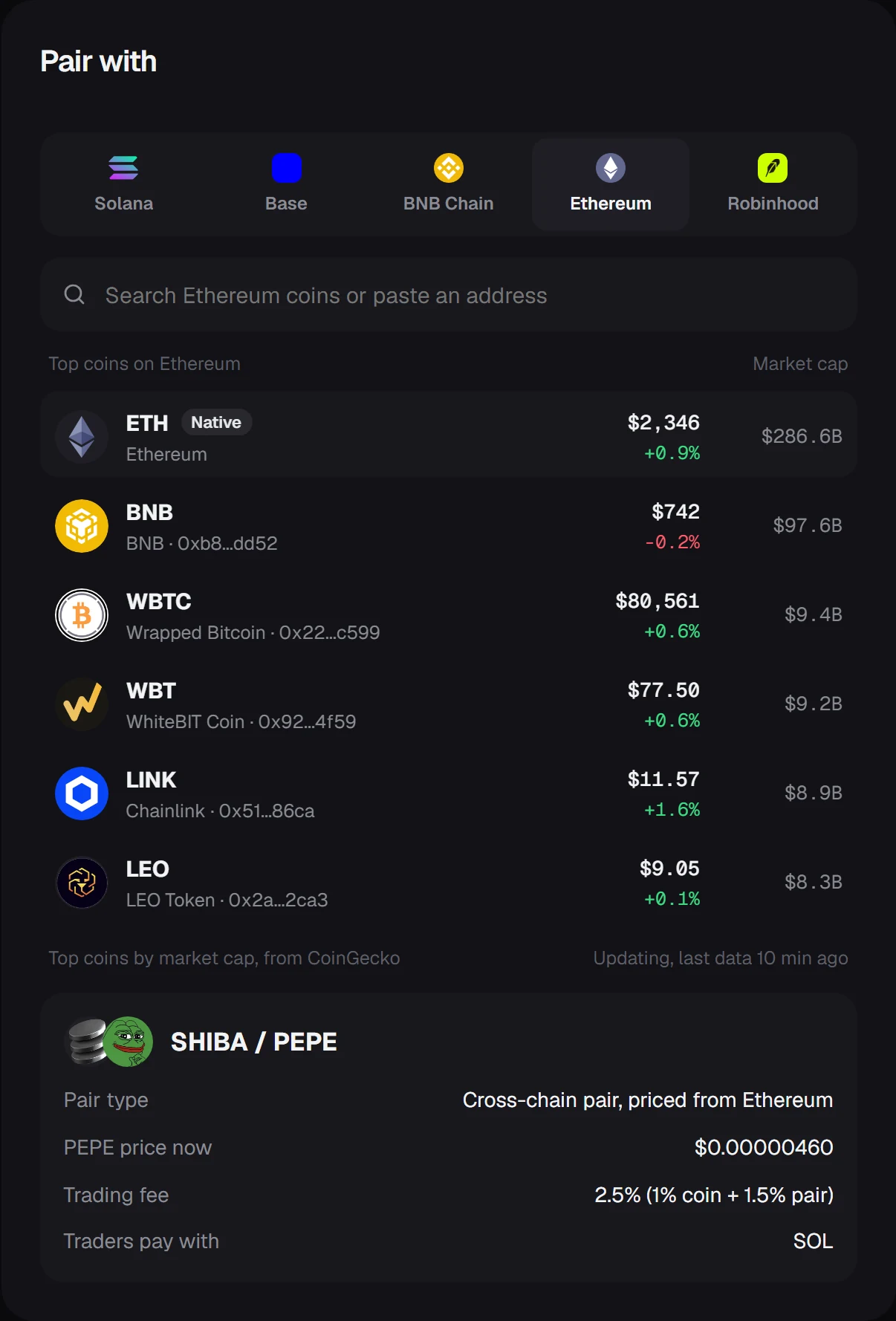
The five chains sit in a row above the coin search: Solana, Base, BNB Chain, Ethereum and Robinhood. Solana makes a native pair. Any other chain makes a cross-chain pair.
Pick the pair coin
The list shows the top coins of the selected chain by market cap, with price, 24 hour change and market cap. Type a name or symbol to filter it, or paste a contract address to find a coin that is outside the list. On Solana, SOL is selected by default.
Once a coin is selected, the summary under the list shows:
- the pair name, for example
SHIBA / PEPE - the pair type and, for cross-chain pairs, the chain the price comes from
- the pair coin's price right now
- the trading fee
- what traders pay with, which is always SOL
Review
Review launch checks every field and opens a summary of the coin, the pair and the fee. Connect a Solana wallet (Phantom, Solflare or Backpack) from the top right of the page to sign the launch.
The launch transaction is enabled when the Pair program is deployed on Solana. Until then the review step is the last step of the flow. See What's live.